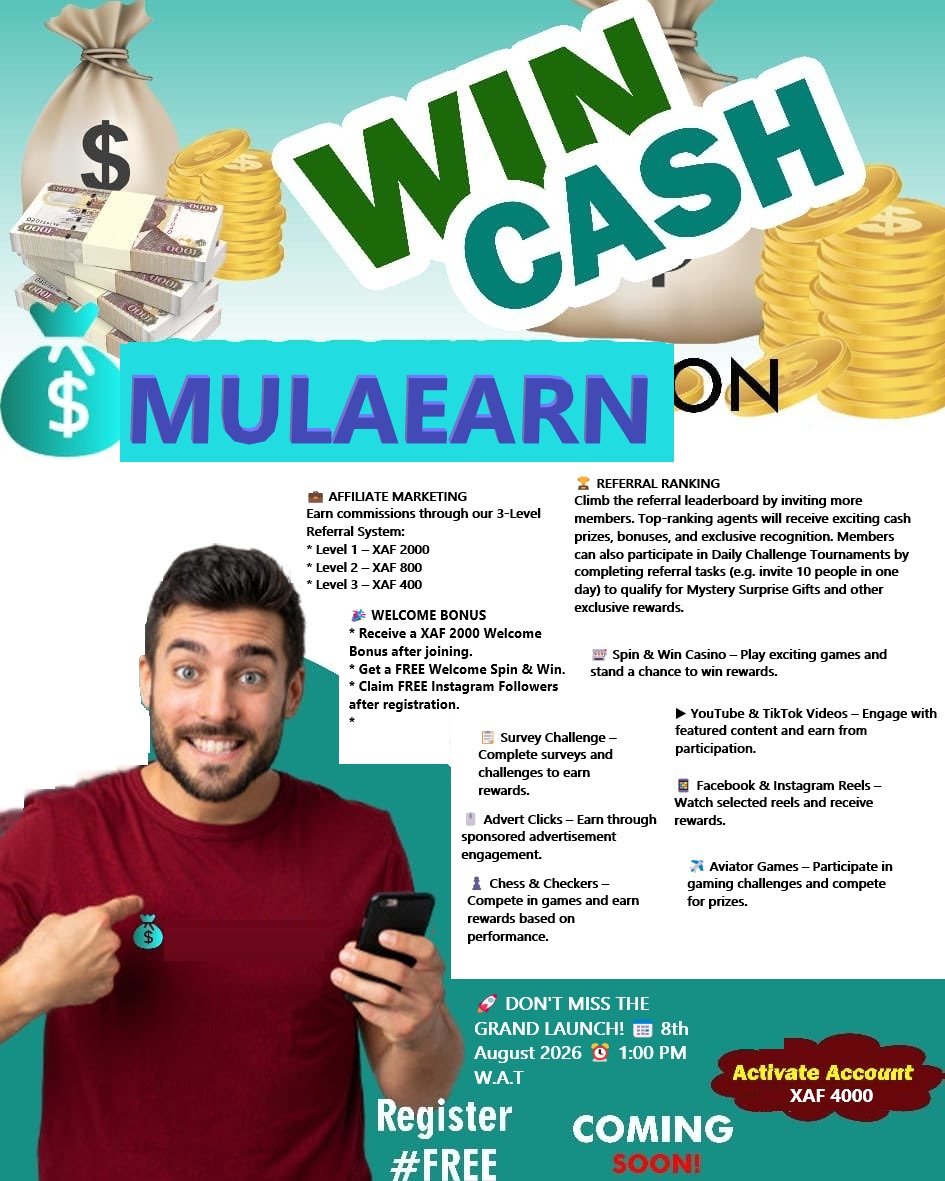
MulaEarn Login Guide: How to Access Your Account Securely (2026)
MulaEarn Login Guide (2026) – How to Access Your Account
Learn how to log in to your MulaEarn account, recover a forgotten password, troubleshoot login issues, and keep your account secure with this complete guide.
MulaEarn Login Guide: How to Access Your Account
Logging in to your MulaEarn account gives you access to your personal dashboard, where you can manage your account, complete available tasks, monitor your earnings, view referral activity, and stay updated with the latest platform announcements.
Whether you are logging in for the first time or returning to your account, this complete guide explains everything you need to know about the MulaEarn login process.
What Is the MulaEarn Login Portal?
The MulaEarn login portal is the secure page where registered members sign in to access their accounts.
After logging in, you can:
- Access your personal dashboard.
- View available tasks.
- Check your earnings.
- Monitor referral activity.
- Request withdrawals (subject to eligibility).
- Access educational resources.
- Update your profile.
- Read platform announcements.
Always use the official MulaEarn website when logging in to protect your account.
How to Log In to Your MulaEarn Account
Follow these simple steps:
Step 1: Visit the Official Website
Open your preferred web browser and visit:
Step 2: Click the Login Button
On the homepage, click Login.
Step 3: Enter Your Login Details
Provide the required credentials, which may include:
- Username
- Email address
- Phone number
- Password
Use the information you entered when creating your account.
Step 4: Click Login
After entering your details correctly, click the Login button.
If your credentials are correct, you’ll be redirected to your member dashboard.
What You Can Do After Logging In
Once inside your account, you can explore the platform’s available features.
Depending on your account status and the opportunities currently available, you may be able to:
Complete Daily Tasks
Participate in digital activities available on your dashboard.
Watch Video Content
Engage with selected TikTok and YouTube content according to task instructions.
Read Blogs
Access educational articles covering business, technology, finance, and digital skills.
Participate in Surveys
Complete eligible surveys published on the platform.
Access Forex Learning
Learn Forex fundamentals through educational tutorials and guides.
Read eBooks
Browse educational materials available in the platform’s digital library.
Use Chat & Earn
Participate in engagement activities where available.
Join Chess and Draughts
Take part in strategy game competitions offered on the platform.
View Referral Information
Track your referrals and monitor commission activity.
Monitor Earnings
Review your account balance, bonuses, and activity history.
How to Recover a Forgotten Password
If you cannot remember your password:
- Visit the login page.
- Click Forgot Password (if available).
- Enter the required information.
- Follow the password reset instructions.
- Create a new secure password.
- Log in using your updated credentials.
Choose a password that is unique and difficult for others to guess.
Common Login Problems and Solutions
Incorrect Password
Double-check your password for typing mistakes, including uppercase and lowercase letters.
Incorrect Username or Email
Ensure you are using the same information you used during registration.
Slow Internet Connection
Refresh the page or switch to a more stable internet connection.
Browser Issues
Clear your browser cache or try logging in using another browser.
Account Restrictions
If your account has been restricted for violating platform policies, contact official customer support for assistance.
Login Security Tips
Protect your account by following these best practices:
- Use a strong password.
- Never share your login credentials.
- Avoid logging in on public devices.
- Log out after using shared computers.
- Update your password regularly.
- Access only the official MulaEarn website.
- Be cautious of phishing websites pretending to be MulaEarn.
Benefits of Logging In Regularly
Regular access to your account helps you:
- Stay informed about new tasks.
- View announcements and updates.
- Track your earnings.
- Monitor referral activity.
- Manage your account settings.
- Access new platform features as they become available.
Why You Should Use the Official Website
Using the official website helps protect your account from fraud and unauthorized access.
Always verify that you are on the correct website before entering your login information.
Avoid sharing your username or password through social media, messaging apps, or unofficial websites.
Frequently Asked Questions
Where do I log in to my MulaEarn account?
Visit the official MulaEarn website and click the Login button.
Can I log in using my smartphone?
Yes. MulaEarn is accessible through mobile browsers on smartphones and tablets.
What should I do if I forget my password?
Use the password recovery option available on the login page, if provided.
Why can’t I log in?
Possible reasons include incorrect login credentials, internet connectivity issues, browser problems, or account restrictions. Review your details carefully and contact official support if the problem persists.
Is it safe to save my password in the browser?
For better security, avoid saving your password on shared or public devices. If you choose to save it on a personal device, ensure your device is protected with a secure lock screen.
Can I access my account from multiple devices?
Depending on the platform’s policies, you may be able to log in from different devices. Always use trusted devices and log out when finished.
Tips for a Better Login Experience
To ensure smooth access to your account:
- Bookmark the official website.
- Keep your password secure.
- Update your browser regularly.
- Check your internet connection before logging in.
- Read platform announcements after signing in.
- Monitor your dashboard for new features and opportunities.
Final Thoughts
The MulaEarn login process is simple and designed to provide secure access to your personal dashboard. By following the correct login steps, protecting your credentials, and using only the official website, you can safely access your account and explore the platform’s available features.
If you experience login issues, use the available recovery options or contact official customer support. Staying informed about platform updates and maintaining good account security practices will help ensure a smooth and secure experience with MulaEarn.